In this activity, you’ll create a new React-based Google Books Search app. This assignment requires you to create React components, work with helper/util functions, and utilize React lifecycle methods to query and display books based on user searches. You’ll also use Node, Express and MongoDB so that users can save books to review or purchase later.
Having an active and healthy commit history on GitHub is important for your future job search. It is also extremely important for making sure your work is saved in your repository. If something breaks, committing often ensures you are able to go back to a working version of your code.
Committing often is a signal to employers that you are actively working on your code and learning.
We use the mantra “commit early and often.” This means that when you write code that works, add it and commit it!
Numerous commits allow you to see how your app is progressing and give you a point to revert to if anything goes wrong.
Be clear and descriptive in your commit messaging.
We would like you to have well over 200 commits by graduation, so commit early and often!
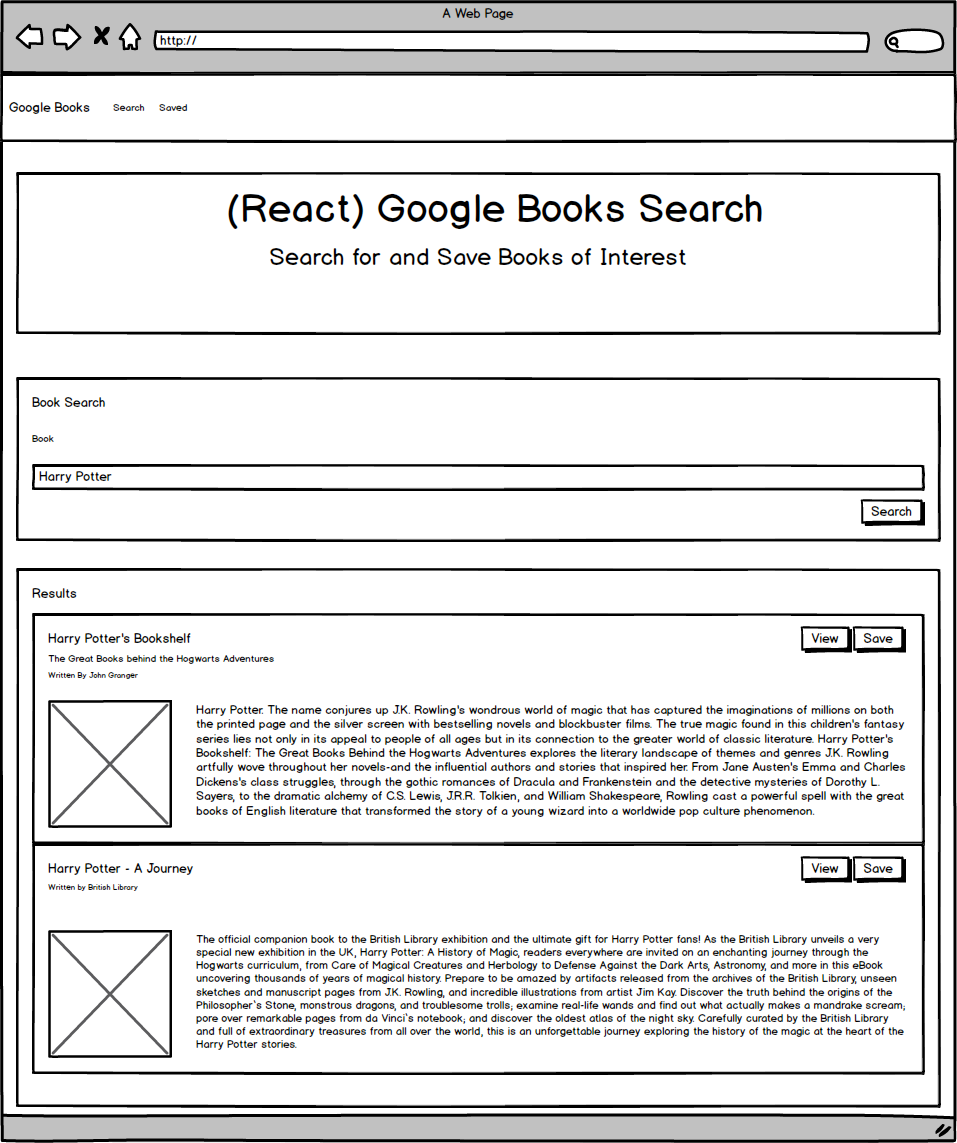
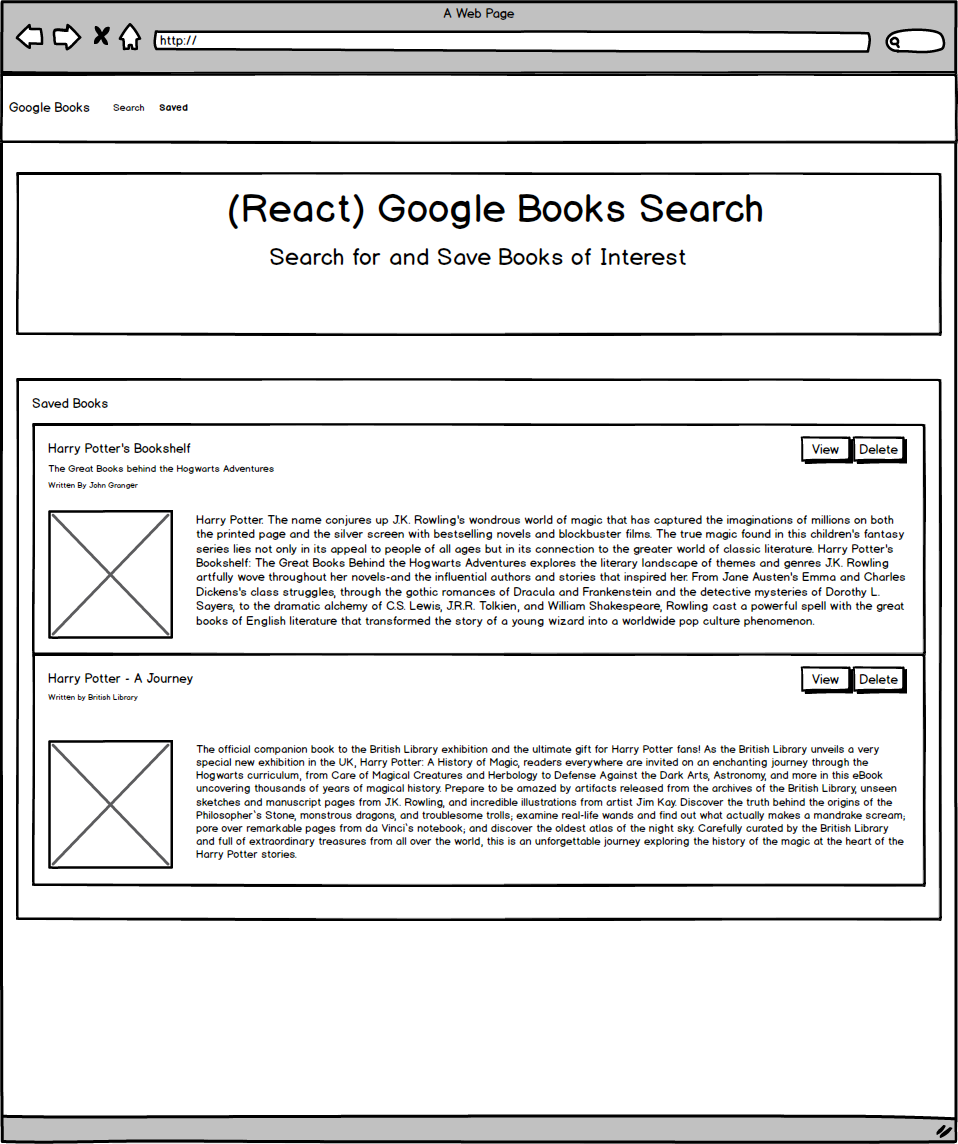
This application requires at minimum 2 pages, check out the following mockup images for each page:
Search - User can search for books via the Google Books API and render them here. User has the option to “View” a book, bringing them to the book on Google Books, or “Save” a book, saving it to the Mongo database.
Saved - Renders all books saved to the Mongo database. User has an option to “View” the book, bringing them to the book on Google Books, or “Delete” a book, removing it from the Mongo database.
Start by using the 07-Ins_Mern example as a base for your application.
Add code to connect to a MongoDB database named googlebooks using the mongoose npm package.
Using mongoose, then create a Book schema.
At a minimum, books should have each of the following fields:
title - Title of the book from the Google Books API
authors - The books’s author(s) as returned from the Google Books API
description - The book’s description as returned from the Google Books API
image - The Book’s thumbnail image as returned from the Google Books API
link - The Book’s information link as returned from the Google Books API
Creating documents in your books collection similar to the following:
  {
    authors: ["Suzanne Collins"]
    description: "Set in a dark vision of the near future, a terrifying reality TV show is taking place. Twelve boys and twelve girls are forced to appear in a live event called The Hunger Games. There is only one rule: kill or be killed. When sixteen-year-old Katniss Everdeen steps forward to take her younger sister's place in the games, she sees it as a death sentence. But Katniss has been close to death before. For her, survival is second nature."
    image: "http://books.google.com/books/content?id=sazytgAACAAJ&printsec=frontcover&img=1&zoom=1&source=gbs_api"
    link: "http://books.google.com/books?id=sazytgAACAAJ&dq=title:The+Hunger+Games&hl=&source=gbs_api"
    title: "The Hunger Games"
  }
react-router-dom to navigate, hide and show your React components without changing the route within Express.The layout should include at least two React Components for each page Search and Saved.
Feel free to try out alternative CSS framework to Bootstrap.
/api/books (get) - Should return all saved books as JSON.
/api/books (post) - Will be used to save a new book to the database.
/api/books/:id (delete) - Will be used to delete a book from the database by Mongo _id.
* (get) - Will load your single HTML page in client/build/index.html. Make sure you have this after all other routes are defined.
Deploy your application to Heroku once complete. You must use Create React App and current versions of React and React-Router-Dom for this assignment.
Use React routing and socket.io to create a notification or a component that triggers whenever a user saves an book. Your message should include the title of the saved book.
Say you have multiple browsers open, each one visiting your site. If you save an book in one browser, then all of your browsers should notify you that a new book was saved.
Attempt to complete homework assignment as described in instructions. If unable to complete certain portions, please pseudocode these portions to describe what remains to be completed. Hosting on Heroku and adding a README.md are required for this homework. In addition, add this homework to your portfolio, more information can be found below.
Add a README.md to your repository describing the project. Here are some resources for creating your README.md. Here are some resources to help you along the way:
After completing the homework please add the piece to your portfolio. Make sure to add a link to your updated portfolio in the comments section of your homework so the TAs can easily ensure you completed this step when they are grading the assignment. To receive an ‘A’ on any assignment, you must link to it from your portfolio.
Now that we have a backend to our applications, we use Heroku for hosting. Please note that while Heroku is free, it will request credit card information if you have more than 5 applications at a time or are adding a database.
Please see Heroku’s Account Verification Information for more details.
If you have any questions about this project or the material we have covered, please post them in the community channels in slack so that your fellow developers can help you! If you’re still having trouble, you can come to office hours for assistance from your instructor and TAs.
Good Luck!